Funky Friday Codes (November 2026): Free Rewards Guide
Get Funky Friday codes for free rewards, open the in-game redemption menu, and fix common entry problems. Find the active code and expired entries here.
Updated
Active codes (November 2026) 0
There are no confirmed active codes for Funky Friday at the moment. Official codes are announced on the game's own channels.
Where new codes are announced:
Bookmark this page and check back for newly confirmed codes.
Jump to
Active Codes and Free Rewards
Grab a free reward before your next rhythm battle. Funky Friday codes give you in-game extras without spending Robux. Enter 5yearsfunky through the shop menu to claim its rewards.
| Code | Reward |
|---|---|
5yearsfunky | Free rewards |
Copy the entry exactly as shown when you redeem it. Keep punctuation intact and remove any spaces accidentally added before or after the code.
How to Redeem a Code
Redemption happens inside the experience, so start by launching Funky Friday on Roblox.
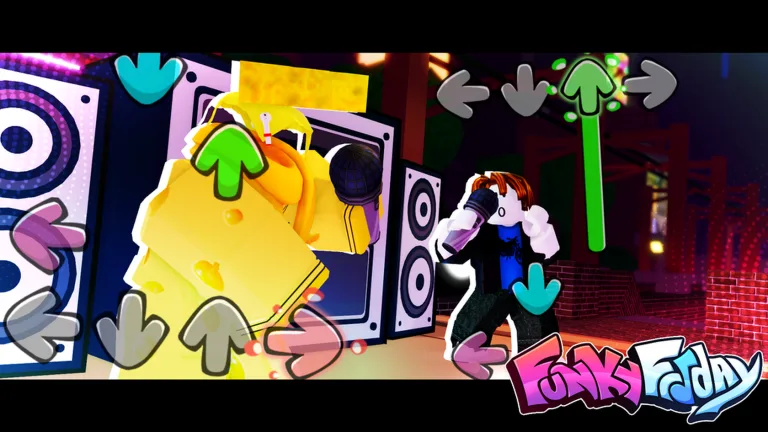 Image: Roblox / Lyte Interactive
- Join a server and wait for the main interface to load.
- Select the shopping cart icon in the top-left corner.
- Open CODES in the shop menu, or select the Twitter bird icon to reach the redemption window.
- Paste your code into the ENTER CODE HERE … box.
- Select REDEEM to collect the reward.
Accepted rewards are added automatically. Depending on the code, rewards can include points, microphones, animations, or emotes.
The Roblox game page only launches the experience. Enter your code in the in-game redemption box.
Expired Codes
These older entries have expired:
 Image: Roblox / Lyte Interactive
100KACTIVE100M19DOLLAR1BILCHEESE1MILFAVS1YEARFUNKY1YEARSCOOP250M2V2!!9KEYISHERECHEEZEDTOMEETYOUFUNKYMILLIONHALFBILLIONMILLIONLIKESSMASHTHATLIKEBUTTONSPOOKYMICTAMBRUSHISBACKTAMBRUSHISBACKFNFWHEREUPDATE??XMAS2021XMAS21
What to Do When Redemption Fails
Start by checking your entry against the active-code table. Retype it if copying added extra spaces, and preserve its spelling and punctuation.
 Image: Roblox / Lyte Interactive
If the redemption box does not respond, close and reopen the shop. If it still does not accept your entry, join a fresh server and try again.
Use the expired list to avoid repeatedly entering retired codes.
Free Rewards and Paid Passes
Codes offer free extras, while the game also sells passes with specific benefits. Keep those benefits in mind when browsing the shop:
| Game Pass | Price | Benefit |
|---|---|---|
| Animation Customization | 399 Robux | Equip multiple animations and change animation speed, size, rate, and shake intervals |
| 2x Points | 349 Robux | Permanently doubles points gained at the end of each song |
For controls and arrow appearance, open Settings. That is where keybinds and arrow skins are located.
Where to Look for New Codes
Watch the developer’s X account and the game’s official Discord announcements for new releases. Updates, player milestones, holidays, and community celebrations are occasions to look for fresh rewards.
Copy each new entry carefully, then redeem it through the shop menu inside the game.
Popular pages
Funky Friday Hardest Songs: Charts That Push Your Limits
Explore Funky Friday hardest songs, from Everlasting Eternity to Detected, and tune your settings to tackle stamina drains, dense charts, and visual chaos.
Funky Friday Animation Decal ID: How to Use Pictures
Use a Funky Friday animation decal id to customize Riot Shield or Screenshot. Learn which ID field to use and what the Animation Customization pass offers.
Funky Friday Best Animations: Style and Clear Notes
Compare Cappy and Demon Tricky in Funky Friday, and pick an animation that keeps notes visible. Keep practice visually simple so you can focus on accuracy.
Funky Friday Keybinds: Change Controls and Save Presets
Customize Funky Friday keybinds, check default controls for every key mode, and save arrow presets. Fine-tune your layout for comfortable rhythm battles.
Join the community
Official channels for news, updates and player help: